Chat with friends.
No internet required.
GoFiChat is a free app for iPhone and Android that connects phones directly over Bluetooth and Wi-Fi, so you and up to 7 friends can message and play 17 games with no signal at all. Take it on flights, subways, camping trips and anywhere else you have no bars.


You vs Leo


Take a look
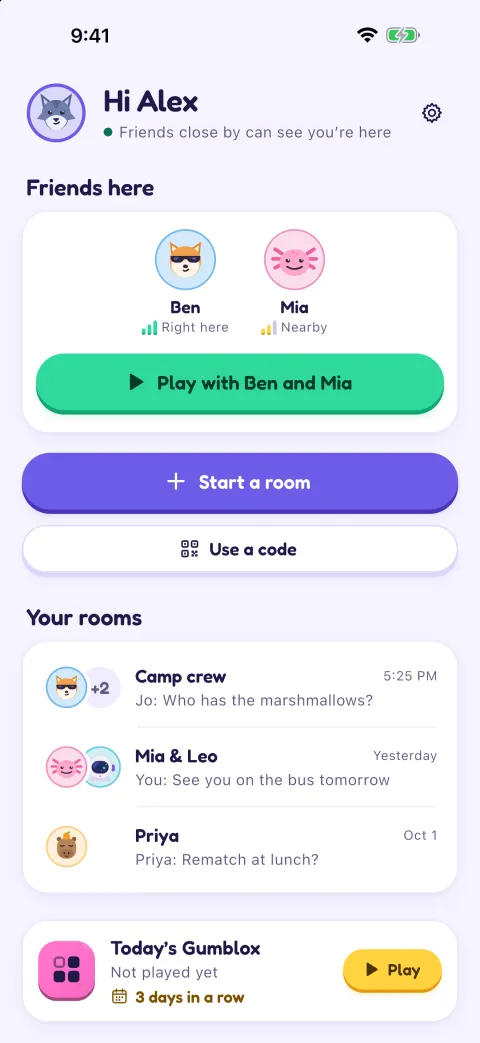
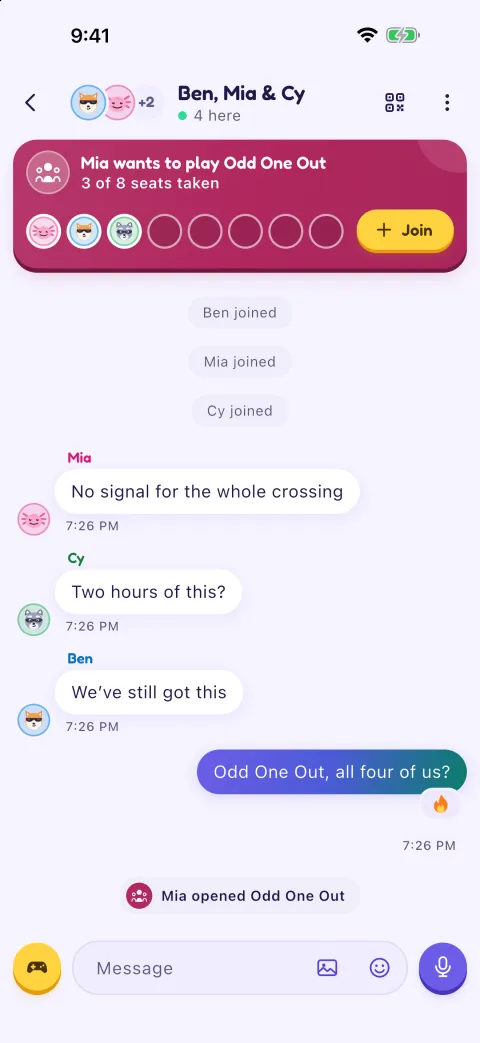
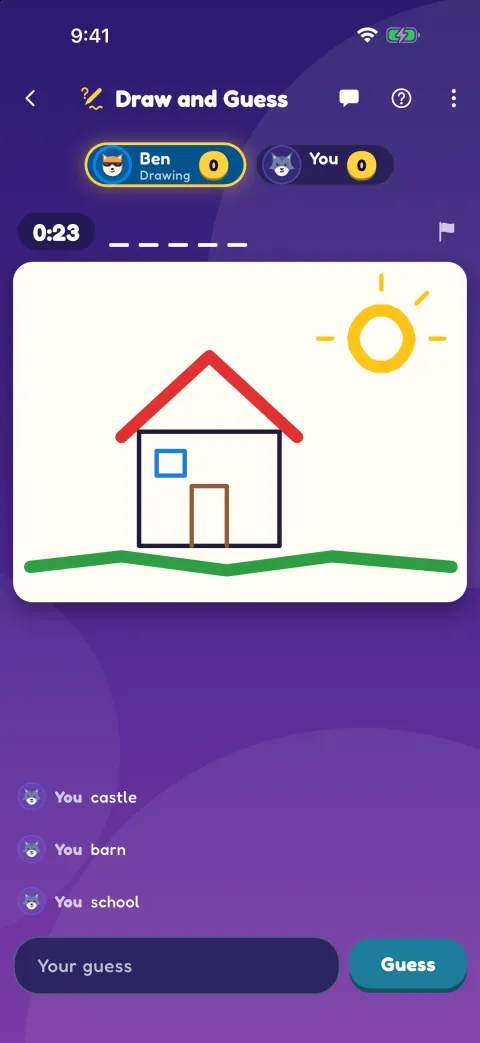
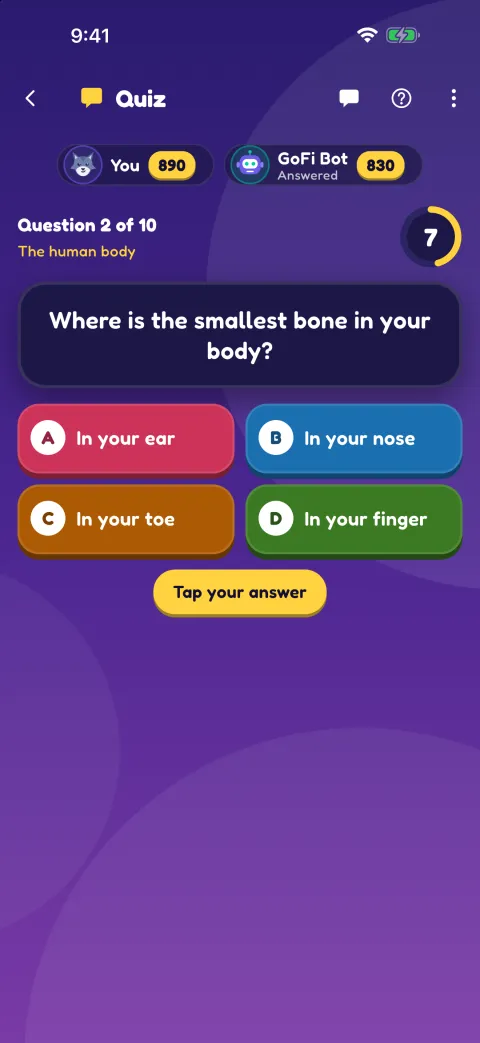
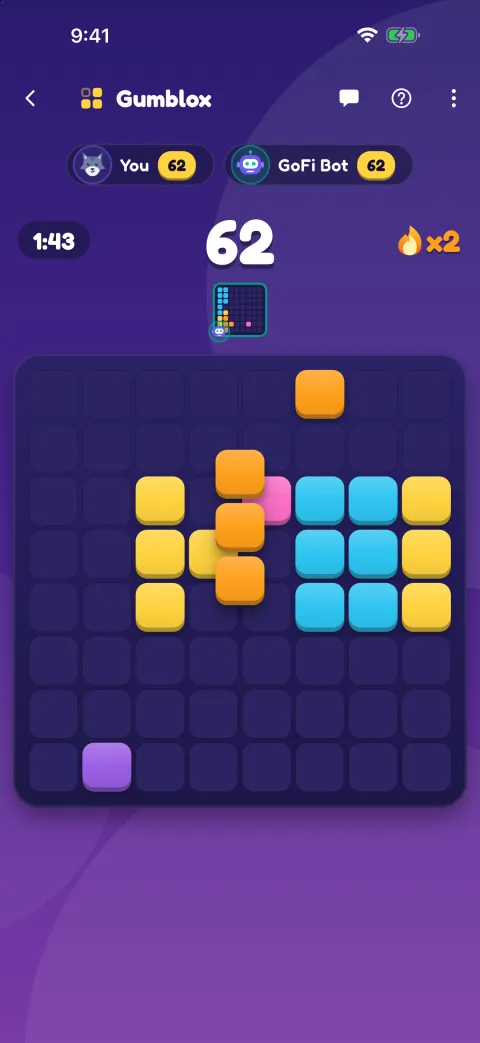
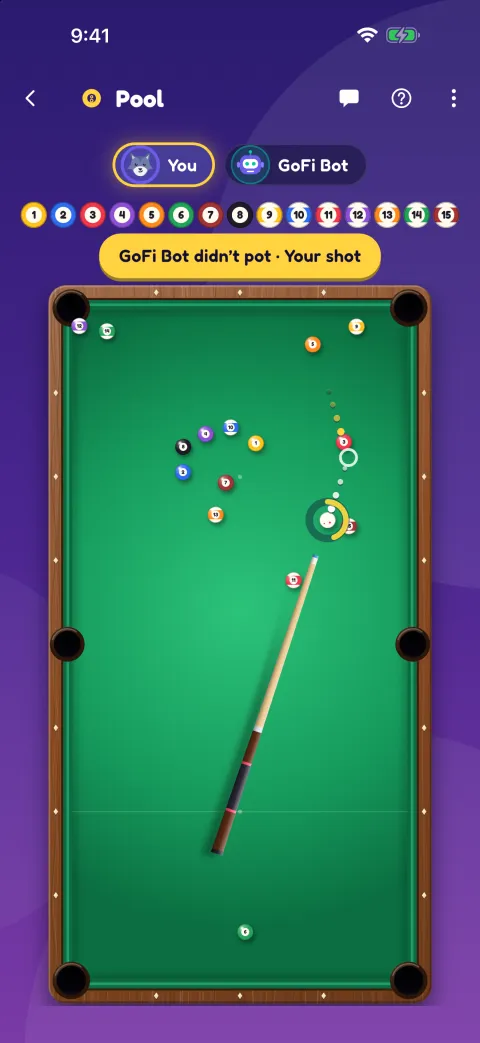
These are real screens from the app. To try it on your own, the practice room on the home screen has GoFi Bot, who plays every game except Odd One Out and Draw and Guess.
A group chat for when there's no signal
Phones talk to each other directly, so you don't need cell signal, a router or an internet connection.
Zero data
GoFiChat runs on your phone's Bluetooth and Wi-Fi radios, so it works in airplane mode (with Bluetooth on), underground and far from any cell tower. Chats and games never use your data plan.
Photos, voice and stickers
Send photos with captions, up to 5 at a time, voice messages you hold the mic to record, and stickers. Swipe a message to reply, or press and hold it to react or to delete one you sent by mistake. You can keep chatting from inside a game.
Up to 8 people, any phone
iPhones and Android phones join the same room. Good for a travel group, a road trip, or a table of friends.
Friends find each other
Add the people you play with as friends. Next time you're close by with GoFiChat open, you see each other on the home screen, and one tap opens the room you had with them, or starts one, and brings them in. Anyone new scans your QR code. Nobody needs an account or a phone number.
End-to-end encrypted
Messages are encrypted on your phone with keys made fresh for each room. Only people in the room can read them, and they never go through a server. We only see messages someone reports to us.
Rooms that last
Your room stays on everyone's phone. Next time you're together, open it again and your friends' phones see it nearby. One tap and they're back in, with the chat where you left it. Walk out of range and your seat is kept for three minutes, and if the person who started the room leaves, it carries on.
Made for places with no signal
17 games to play together
Pick one in any chat, and whoever wants to play taps Join. Keep talking while you play. The party games are made for a group sitting together, each on their own phone: in Odd One Out everyone gets the same secret word but one, and in Draw and Guess one phone draws while the others guess. Air hockey and table tennis are live, in Gumblox everyone races at once, and in Quiz everyone answers each question against the clock. The others take turns and stay in sync on every phone, and in Crazy Eights each phone shows only its own hand. The room keeps score, so you can see who's won the most.
How it works
There's nothing to sign up for. Install the app while you still have internet, and you're set.
Start a room
Tap Start a room to get a QR code and a 6-digit code. Friends you've added are invited with one tap.
Friends join
They scan your QR code and come straight in, or type the code and you let them in. Everyone needs to be within Bluetooth range (about 30 metres) or on the same Wi-Fi or hotspot.
Chat and play
Send messages, photos and voice messages, and open a game for anyone who wants to play. Next time you're together, open the same room again.

No one around yet?
Play solo and beat your personal bests, or try Today's Gumblox, where everyone gets the same pieces that day. In Practice with GoFi Bot, the bot chats back and plays 15 of the 17 games at Easier, Normal or Harder, so you can learn them before the trip.
Questions
Does it really work with no internet at all?
Yes. GoFiChat talks phone to phone over Bluetooth Low Energy, and over local Wi-Fi when you share a network or hotspot. Airplane mode is fine as long as Bluetooth is switched back on.
What should we do before the trip?
Install GoFiChat while you still have internet, and ask the people you're travelling with to do the same. Downloading the app needs a connection. Using it doesn't.
How far apart can we be?
Bluetooth usually reaches 10–30 metres depending on walls, bodies and the phones involved. The phones in a room link through one of them, so stay reasonably close together. If someone drifts out of range, their seat is kept for three minutes and they're back in when they return, and GoFiChat warns them first when they're getting far away.
Can iPhone and Android users chat together?
Yes. Both connect over standard Bluetooth Low Energy, so mixed groups work, and they play the same games together. An Android phone can't find a room on an iPhone that's in the background, though, so if the room is on an iPhone, keep GoFiChat open on it while people join or come back.
Which languages is it in?
English, Spanish, Portuguese (Brazil), Hindi and Indonesian. Each phone uses its own language, so a mixed group can play together: in Odd One Out each phone shows the secret word in its own language, and Draw and Guess accepts a right guess in any of them.
Who can get into my room?
People who have been in the room before get back in by themselves, and friends you invite come straight in. Anyone who scans your QR code or opens your room link also comes straight in, so share those only with people you want there. Someone who types the 6-digit code waits until you tap Let in, and both phones show the same pictures to check first. A room shows on the Nearby list of people who haven't been in it only if an adult turns on Show on Nearby, then only for 10 minutes, and only on phones whose age check says adult. If someone causes trouble, block them and you won't see anything they send. On the phone the room runs through, blocking also removes them and changes the room's keys, QR code and link, so they can't come back without being let in again. Block and Report also tell us, with their last 10 messages, and we remove people who break the rules from GoFiChat.
Is it private?
Yes. Messages are end-to-end encrypted with keys made on the phones for that room only (X25519 key exchange and ChaCha20-Poly1305). There are no accounts, and messages never go through a server, so there's nothing for us to see or store, apart from the messages in a report someone sends us. Scanning the QR code also checks the room's key, so nobody can pretend to be your room. When someone types the code instead, the person letting them in checks both phones show the same pictures first.
Are my chats saved?
Each phone keeps the last 50 rooms it was in, with up to 2,000 messages of each one's chat, so you can scroll back and open a room again. It all stays on that phone and isn't backed up to iCloud or Google. You can forget a room, delete the chats, or turn chat history off in Settings.
Can I try it without anyone nearby?
Yes. Tap Practice with GoFi Bot on the home screen. The bot chats back and plays 15 of the 17 games at Easier, Normal or Harder; Odd One Out and Draw and Guess need friends. Gumblox, Mini Golf, Bowling, Darts, Memory and Quiz also have Play solo.
Does it drain my battery?
A chat uses very little, because Bluetooth Low Energy is built to run on low power. Live games like air hockey use more because the screen and radio stay busy.
What happens when the person who started the room leaves?
The room carries on. Another phone in it takes over by itself and everyone stays in. When the last person leaves, the room is still on everyone's phone, ready to open again.
Does it cost anything?
No. GoFiChat is free, with no ads and no in-app purchases.
Get GoFiChat before you lose signal
Coming soon to the App Store and Google Play.
It's free. Installing needs internet, so get it before you set off, and send this page to whoever's coming with you.