A Bluetooth chat app for iPhone and Android
GoFiChat is a group chat that runs over Bluetooth Low Energy, so iPhones and Android phones can message each other and play games with no internet, no Wi-Fi network and no mobile signal. A room holds up to 8 people, and it's free.
The short answer
- Uses Bluetooth Low Energy, which iPhone and Android apps can both use, so mixed groups work.
- Range is usually 10 to 30 metres between two phones. Phones in the room can pass messages along for someone farther out.
- Also connects over local Wi-Fi or a hotspot when everyone shares one, which is faster. No internet needed for either.
- Works in airplane mode with Bluetooth switched back on, and keeps going while your phone is locked.
- End-to-end encrypted on top of the Bluetooth link, with keys made on the phones.
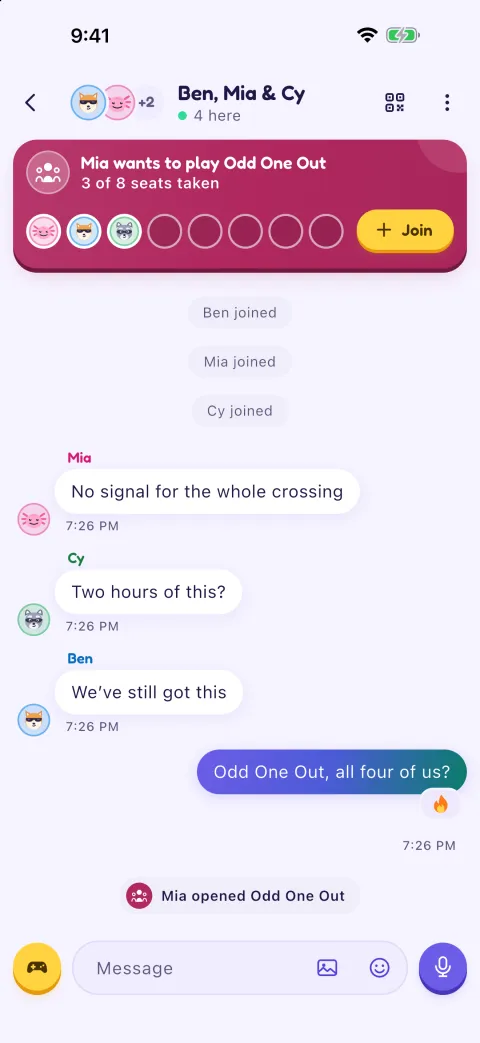
- Up to 8 people, photos, voice messages and 16 games. No accounts.
Why Bluetooth Low Energy
On iPhone, apps reach other devices over Bluetooth through Apple's Core Bluetooth framework, which uses Bluetooth Low Energy (BLE). Android supports BLE too, so GoFiChat uses it on both: an iPhone and an Android phone can be in the same room with no setup beyond the app. BLE is also built to run on little power, which is why a chat barely touches your battery.
Inside a room, one phone is the one the others link to. It's the one that started the room at first. If that person leaves, the next phone in line takes over within a few seconds. If their phone goes out of range or switches off, the next phone takes over once the others notice, usually within a minute. Nobody has to know which phone it is; the chat just carries on.
How far Bluetooth chat reaches
Between two phones, expect about 10 to 30 metres. Walls, bodies, bags and pockets all shorten it, and some phones reach farther than others. Across a few rows of seats on a plane, around a campfire or along a table is easy; opposite ends of a festival field isn't.
A room can stretch a little further than one link. With Pass messages along (in Settings, and on unless you turn it off), a phone in the room lets a friend who can reach it, but not the phone the room runs through, stay in through it. The chain can be up to three links long. Each step adds a short wait, and passing messages along uses more of that phone's battery.
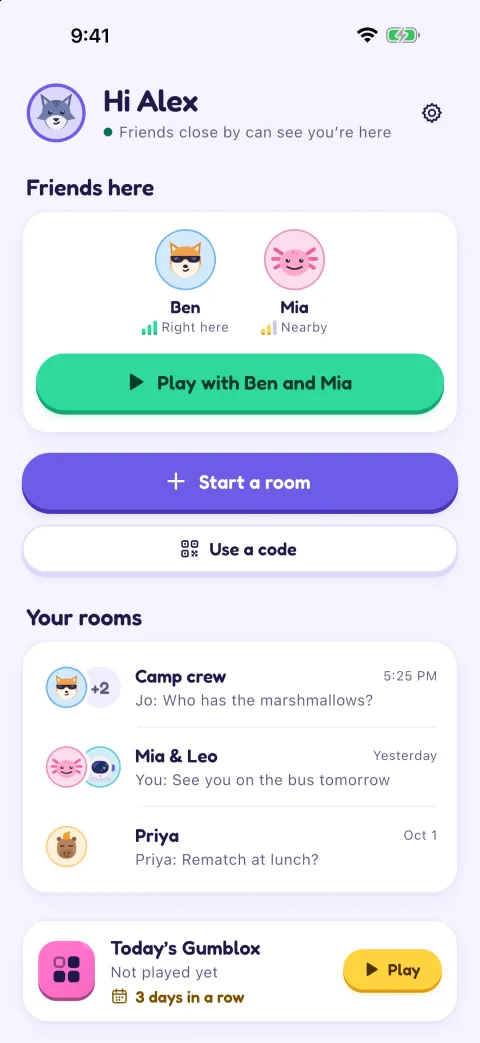
GoFiChat shows each person's signal as bars, warns you when you're getting far from the others, and brings you back in when you return, with the messages you missed.
When Wi-Fi is better
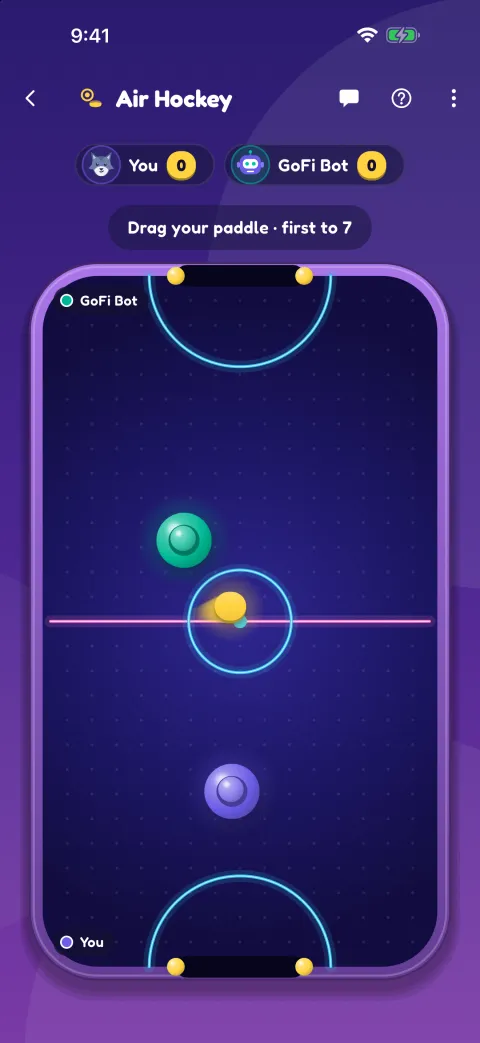
If everyone is on the same Wi-Fi network, or connected to one phone's hotspot, GoFiChat links over that as well. It's faster, which helps with photos and with the live games, Air Hockey and Ping Pong, which send about 20 updates a second. The network doesn't need internet access. You can turn Wi-Fi off in Settings to stay on Bluetooth only.
Setting it up
- Install GoFiChat on each phone while you have internet.
- Allow Bluetooth when the app asks. On iPhone that's Bluetooth and Local Network; on Android it's Nearby devices. Android 11 and older also ask for Location, because those versions need it to scan for Bluetooth devices; GoFiChat doesn't read your location.
- Tap Start a room. Friends scan the QR code to come straight in, or type the 6-digit code and wait for you to tap Let in.
If a friend can't find your room, keep GoFiChat open on your phone while they join, stand closer, and check Bluetooth is on for both phones. The support page has the other fixes.
Locked phones and notifications
The room stays connected when you switch apps or lock your phone, so you don't drop out of the chat. New messages and game invites arrive as notifications made on the phone itself; there's no push server. On iPhone with iOS 16.2 or later, a Live Activity on the lock screen shows the room's name, how many are there and one status line, never what anyone wrote. On Android, an ongoing notification does the same while you're in a room.
Is Bluetooth chat secure?
GoFiChat doesn't rely on Bluetooth's own pairing for privacy. Each phone runs an X25519 key exchange with the phone the room runs through and then encrypts everything with ChaCha20-Poly1305, with keys made for that room. A phone passing messages along for someone carries bytes it can't read. Scanning the room's QR code checks the room's key, and a typed-code join shows the same six pictures on both phones so you can check nobody is in between. Anyone causing trouble can be blocked, which on the phone the room runs through removes them and changes the room's keys and QR code.
What it can't do
Bluetooth chat is for people near each other. It won't reach a friend in another building, and a room holds 8 people. There are no calls. A few older Android phones can't advertise over Bluetooth, so they can join a room but not start one over Bluetooth; on those, start the room over a shared Wi-Fi network or hotspot instead.
Questions
Can an iPhone chat with an Android phone over Bluetooth?
Yes, in GoFiChat. Both phones use Bluetooth Low Energy, so iPhones and Android phones join the same room and play the same games.
What is the range of Bluetooth messaging?
Usually 10 to 30 metres between two phones, depending on walls, people and the phones. Other phones in the room can pass messages along for someone a bit farther away.
Can you text on a plane using Bluetooth?
You can message people on the same flight with GoFiChat, since it only needs Bluetooth between the phones. Turn on airplane mode, then switch Bluetooth back on, and follow the airline's rules and the crew's instructions.
Does Bluetooth chat drain the battery?
Very little for chat, because Bluetooth Low Energy is built for low power. Live games use more, since the screen and radio stay busy, and so does passing messages along for other phones.
Do the phones need to be paired?
No. You don't pair in your phone's Bluetooth settings. GoFiChat finds the room itself once you scan its QR code or type its code.
Which phones does it work on?
iPhones on iOS 15 or later, and Android phones on Android 7.0 or later with Bluetooth Low Energy.
Read next
Get GoFiChat before you lose signal
Coming soon to the App Store and Google Play. It's free.
It's free. Installing needs internet, so get it before you set off, and send this page to whoever's coming with you.